How Much Does It Cost to Start Streaming (2026): About $409, or $0
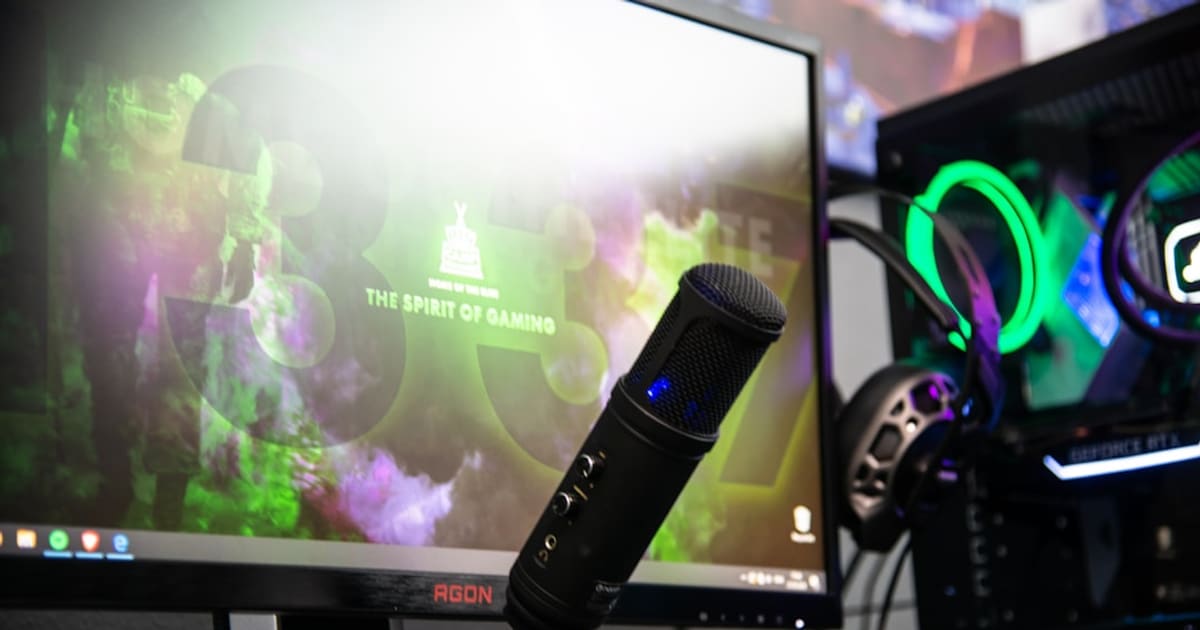
Start streaming for $0, improve audio for about $120, or build the full seven-piece desk setup for about $409 at current prices.
Start with a phone, OBS, and a Twitch or YouTube account for $0. If you're ready to publish regularly, the useful paid setup is about $409: a microphone and headphones first, then a second monitor, webcam, light, power strip, and cable trays. Both routes get you live tonight.
The honest answer
A complete beginner streaming setup costs about $409 right now:
- Samson Q2U USB/XLR Dynamic Microphone Recording and Podcasting Pack Samson Q2U dynamic USB/XLR microphone: about $80
- HyperX Cloud Stinger 2 Core Wired Gaming Headset HyperX Cloud Stinger 2 Core closed-back headphones: about $40
- LG 24G411A-B Ultragear 24" 144Hz Gaming Monitor LG 24G411A-B 24-inch 144Hz second monitor: about $130
- Logitech C920x HD Pro Webcam Logitech C920x webcam: about $70
- Quntis Computer Monitor Lamp Quntis monitor light bar: about $40
- Anker 12-Outlet Power Strip with USB-C (2100J) Anker 12-outlet power strip with USB-C: about $29
- Yecaye Under-Desk Cable Management Tray (2 Pack) Yecaye under-desk cable trays (2-pack): about $20
$80 + $40 + $130 + $70 + $40 + $29 + $20 = $409 using rounded prices. The seven Amazon buyboxes total $408.89 at the current catalog prices. Each piece solves an audio, video, lighting, power, or cable problem. If $409 is more than you want to spend on a hobby you have not tried, the free path below costs nothing.
The free path ($0)
If you want to test streaming before spending anything:
- Install OBS Studio (free and open source) on a Windows, macOS, or Linux computer. If you are streaming from a phone, use the Twitch or YouTube app instead.
- Use the camera you already own: the laptop webcam or phone camera.
- Create a free Twitch or YouTube account and run a private or unlisted test where the platform allows it.
- Use the headphones you already own for monitoring.
After three or four test streams, decide whether the audio is holding you back. If it is, buy the microphone first and add the headphones when you need better monitoring.
The budget tier (~$120)
If you want better audio but not the full rig, buy the microphone and the headphones:
- Samson Q2U USB/XLR Dynamic Microphone Recording and Podcasting Pack Samson Q2U dynamic USB/XLR microphone: ~$80
- HyperX Cloud Stinger 2 Core Wired Gaming Headset HyperX Cloud Stinger 2 Core closed-back headphones: ~$40
That $120 pair gives you close, clear voice audio and lets you monitor without sending speaker sound back into the microphone. A dynamic mic also rejects more room noise than a sensitive condenser when both sit the same distance from your mouth.
The full tier (~$409, recommended)
The seven-item kit in the streaming starter pack is for someone who has tested the free setup and plans to stream regularly:
- The microphone (~$80). Samson Q2U USB/XLR Dynamic Microphone Recording and Podcasting Pack The Q2U includes a desk tripod and foam windscreen, has a headphone jack for direct monitoring, and connects over USB now or XLR after a later interface upgrade.
- Closed-back headphones (~$40). HyperX Cloud Stinger 2 Core Wired Gaming Headset Closed-back headphones keep speaker sound from bleeding into the mic. The Stinger 2 Core is wired, lightweight, and has a swivel-to-mute boom.
- The second monitor (~$130). LG 24G411A-B Ultragear 24" 144Hz Gaming Monitor A second screen keeps OBS and chat visible while the game or main window stays full-size. This LG is a 24-inch 1080p IPS display rated for 144Hz, so it can serve as either the game screen or the dashboard.
- The webcam (~$70). Logitech C920x HD Pro Webcam The C920x records 1080p at 30fps and has automatic light correction. Delay it if your laptop camera or phone already looks acceptable.
- The monitor light bar (~$40). Quntis Computer Monitor Lamp This bar lights the desk without reflecting off the monitor, which helps with controls and notes. It is not a face light. If the webcam image is still dark, point a lamp at the wall behind the monitor for softer reflected light.
- The power strip (~$29). Anker 12-Outlet Power Strip with USB-C (2100J) The PC, two monitors, mic, light, and phone charger quickly use several sockets. This strip has 12 AC outlets, three USB ports, and 2100-joule surge protection.
- The cable trays (~$20). Yecaye Under-Desk Cable Management Tray (2 Pack) Two adhesive-mount trays keep power bricks and loose cable off the floor. They are optional if your current desk already has cable routing.
What to skip at the start
- A capture card ($20 to $180). A PS5 or Xbox streams directly from the console menu, and a PC needs nothing. Buy one when you actually own a Switch, not before.
- A green screen ($80 to $200). OBS can fake a background, but it needs uniform light to look anything other than blurry, and a plain wall behind you achieves the same result for free.
- A stream deck ($150). It is a keyboard with pretty keys. Scene switching lives on hotkeys, or on your phone with a free app, until you are monetizing.
- The $130 condenser USB mic. In an untreated room, a condenser usually picks up more keyboard and room noise than a close-positioned dynamic mic. Start with the Q2U.
- Overlays, animated alerts, and panels. They do not fix unclear audio or an irregular schedule. Add them once you know which information the audience needs on screen.
The math, again
| Tier | What you get | Cost |
|---|---|---|
| Free | Phone + OBS + Twitch | $0 |
| Budget | Q2U mic + closed-back headphones | ~$120 |
| Full | Seven-piece kit, all in | ~$409 |
| Skip | Capture card + green screen + stream deck + condenser mic | $380 to $660 |
For most beginners, the $120 audio tier is enough for the first month. Add the rest only after you have settled into a regular schedule. The figures above are current pre-tax buybox prices and will move with sales or variant changes.
If your show turns into a podcast first and a stream second, the podcast starter pack covers the recording-first setup with the same Q2U mic at the top of the list. For the desk that hosts the rig, the home office upgrade pack handles cable management and lighting. For the full catalog of similar beginner kits, see the starter packs hub.
Frequently asked questions
Is $200 enough to start streaming?
Yes, for most people. About $120 buys the Samson Q2U microphone and the HyperX Cloud Stinger 2 headphones, the two pieces that change how you sound. Add a $70 webcam later, and a second monitor when OBS and chat start fighting for space on one screen.
What are the hidden costs of starting streaming?
OBS is free, and the day-one rig has no required subscription. Optional costs can show up later: a transcript or caption service ($10 to $25/month), a sub-goal service (free to $5/month), and a capture card if you stream a Switch.
Cheap streaming kit vs premium kit, what is the real difference?
The $409 setup is dynamic USB, which means the mic hears your voice and not the room. A $1,000-plus premium rig typically adds an XLR audio interface ($100 to $160), a green screen ($80 to $200), and a stream deck ($150). Those upgrades help once you are monetizing; on stream one they mostly hide the fact that you have zero viewers yet.
Do I need a capture card to start streaming?
No. A PS5 or Xbox streams straight from the console menu, and a PC needs nothing extra. A capture card ($20 to $180) earns its keep only when you want to stream a Switch or push a 4K console feed into OBS. Buy the capture card the week you need it, not before.
How we work
How we research and review
StarterPacks Editorial Team researches the products and writes the packs. We choose items for a specific starting point, then check the listing before we link to it.
For each linked product, we open the retailer page to check the price and availability, confirm that its Amazon ASIN still resolves to the right product, and compare important claims with manufacturer specs. We do not call an item hands-on tested unless the page explains what was tested.
This guide was last checked on . We revisit pages when products, prices, or advice change. Prices and stock can move after a check, so the live listing is the final word.
Read about the StarterPacks Editorial Team and our standards.