Career & Gigs
What Do I Need to Start a Podcast (2026): Six Things for About $270
Six things that record a real episode tonight: a dynamic USB mic, the arm that holds it, and four pieces you can add when you need them.
Last checked: 2026-10-19
Pack total ~$270 for 6 picks
What’s in this pack
6 itemsOne click adds every shoppable item in this pack to your Amazon cart. That includes any optional or upgrade pick further down the page, which is why this can run higher than the pack total at the top. Budget picks stay as individual links below — grab just what you need.
- Samson Q2U USB/XLR Dynamic Microphone Recording and Podcasting Pack $79.99 Check price →
- InnoGear Boom Arm Microphone Mic Stand (Desk Clamp) $24.99 Check price →
- HyperX Cloud Stinger 2 Core Wired Gaming Headset $39.99 Check price →
- Logitech C920x HD Pro Webcam ~$69.99 Check price →
- Anker 12-Outlet Power Strip with USB-C (2100J) $28.99 Check price →
- SanDisk 128GB Ultra USB 3.0 Flash Drive $25.99 Check price →
Prices are approximate — tap any item for the live price. We earn a small commission if you buy, at no extra cost to you.
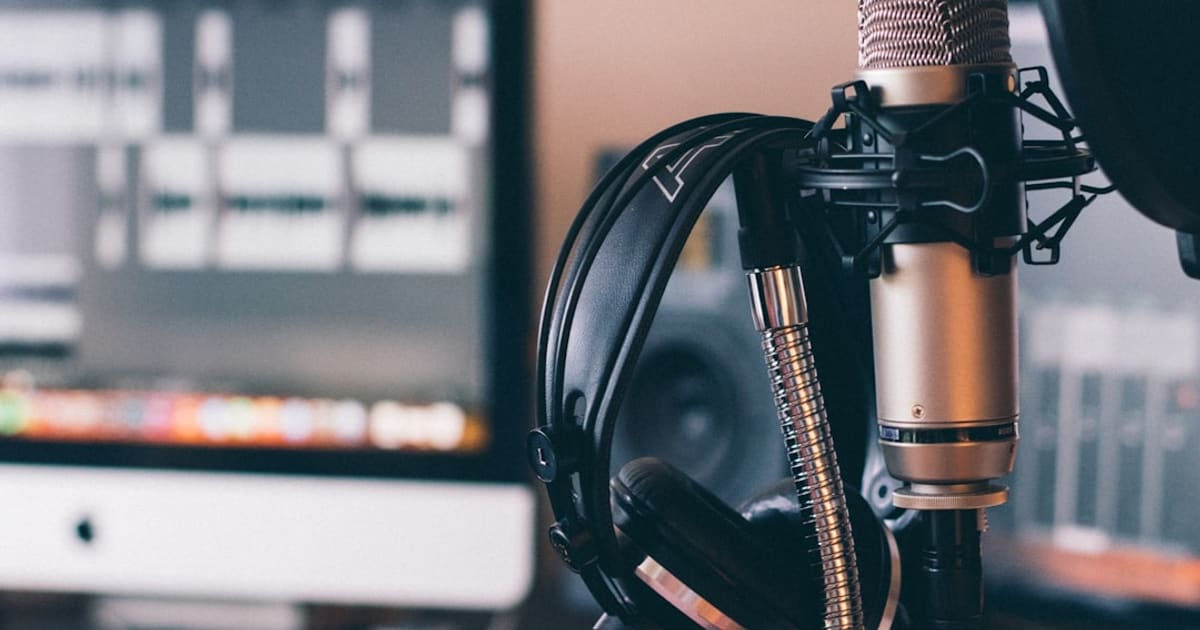
Most beginners need one useful piece first: the Samson Q2U, a dynamic USB microphone that costs about $80. It plugs into your laptop tonight, picks up less room sound than a typical condenser in an untreated bedroom, and has an XLR port for the day you add an interface.
You do not need an audio interface, a mixer, an XLR cable, or acoustic panels before episode one. The six pieces below make a practical one-person setup for about $270 all in.
The short list
- A dynamic USB microphone (~$80): Samson Q2U USB/XLR Dynamic Microphone Recording and Podcasting Pack The Q2U is the best podcast microphone for beginners because condensers, the more famous kind, also pick up the fridge, the traffic, and the neighbor's dog. The Q2U ships with a desk tripod and foam windscreen, has a headphone jack so you can monitor yourself with zero lag, and the XLR port is your whole upgrade path in one purchase.
- A boom arm with a desk clamp (~$25): InnoGear Boom Arm Microphone Mic Stand (Desk Clamp) The mic moves to mouth height and stays there, which keeps your levels consistent from the first sentence to the last, and desk thumps stop traveling up a tripod leg into the recording. This one is steel, clamps to a flat desk edge up to 2 inches thick, holds 3.3 pounds, and the included clip fits the Q2U out of the box. It folds out of the way when you are done.
- Closed-back headphones (~$40): HyperX Cloud Stinger 2 Core Wired Gaming Headset The same pair our streaming pack recommends, and closed-back is the part that matters: open headphones bleed your guest's voice back into your mic while you edit. The Stinger 2 Core is light enough for a four-hour edit session and cheap enough that you will not cry when the cat chews the cable.
- A webcam if you plan to record video (~$70): Logitech C920x HD Pro Webcam The C920x records 1080p at 30fps, corrects for low light, and works without extra drivers. If you are audio-only for now, this is the first item to delay.
- One power strip to run the rig (~$29): Anker 12-Outlet Power Strip with USB-C (2100J) Mic, light, webcam, drive, and phone charger can crowd the outlet behind a recording desk. Twelve outlets plus surge protection give that low-draw gear one place to plug in. Stay within the strip's rated load and do not daisy-chain it to another strip.
- A small backup drive (~$26): SanDisk 128GB Ultra USB 3.0 Flash Drive Raw takes cannot be recreated after the recording ends. A 128GB USB 3.0 stick holds hundreds of hours of audio; copy the session folder over after every recording and your show survives any laptop that dies the night before an interview. It is also the cheap way to hand episodes to an editor.
If money's tight
Start free: the voice memo app on your phone records fine, Audacity edits, and free hosting publishes. Whatever headphones you already own close back well enough to start. Then buy the mic ($80) and the arm ($25) first, because that $105 is the entire difference between a show and a phone call. Everything else on this list can arrive one payday at a time.
What to skip
- The $130 condenser USB mic. In an untreated room it broadcasts your neighbors. Dynamic is the right choice, which is why the $80 Q2U tops this list.
- An audio interface ($100 to $160). It only matters once you own an XLR mic, and the Q2U already has USB. Buy it when you upgrade, not before.
- A mixer ($100 and up). That is a two-people-in-one-room purchase. Two USB mics into two computers, or into free multitrack software, gets the same result for less.
- Acoustic panels ($50 to $200). Record under a comforter, in a closet full of clothes, or facing a bookshelf. The money you saved buys fifty episodes of hosting.
- A podcasting course ($99 to $299). Free hosting plus two hours of YouTube covers everything a beginner needs. Publishing consistency is the skill that matters, and no course does that for you.
The total
Item by item: $79.99 + $24.99 + $39.99 + about $70 + $28.99 + $25.99 = about $270, or $270 rounded. Prices move, so use the itemized total rather than a bundle's round number. The Q2U can move to XLR someday, and the arm, headphones, and drive keep working.
Related packs
What Do I Need to Start Streaming (2026): Seven Things That Make You Watchable for About $409
Home Office Upgrade Starter Pack (2026): Eight Fixes That Turn a Corner Into an Office
Frequently asked questions
How much does it cost to start a podcast?
About $270 for the six things in this pack. You can start for $0 tonight with a phone, free software, and headphones you already own. The first $80 you spend should go to the microphone because clear audio improves every episode.
Do I need an audio interface or a mixer?
Not to start. A USB microphone like the Samson Q2U plugs straight into your computer and records fine. An interface only earns its $100 once you buy an XLR mic, and a mixer is for two or more people in the same room. Two USB mics beat one mixer for a two-person show.
What software do I need to record and publish?
Free ones cover the whole pipeline: Audacity records and edits, and Spotify for Creators hosts episodes at no cost. Most remote recording tools have free tiers too. Do not pay for a course or a studio plugin before episode ten.
What should I buy first if I can't afford everything?
The microphone and boom arm, about $105 together. That pair is the difference between a voice that sounds close and clear and one that sounds like a conference call. Headphones come next when you start editing, and the webcam can wait until you decide to do video episodes.
How we work
How we research and review
StarterPacks Editorial Team researches the products and writes the packs. We choose items for a specific starting point, then check the listing before we link to it.
For each linked product, we open the retailer page to check the price and availability, confirm that its Amazon ASIN still resolves to the right product, and compare important claims with manufacturer specs. We do not call an item hands-on tested unless the page explains what was tested.
This pack was last checked on . We revisit pages when products, prices, or advice change. Prices and stock can move after a check, so the live listing is the final word.
Read about the StarterPacks Editorial Team and our standards.